HTML to PDF Chrome Extension vs Sejda: Which Tool Wins in 2025?
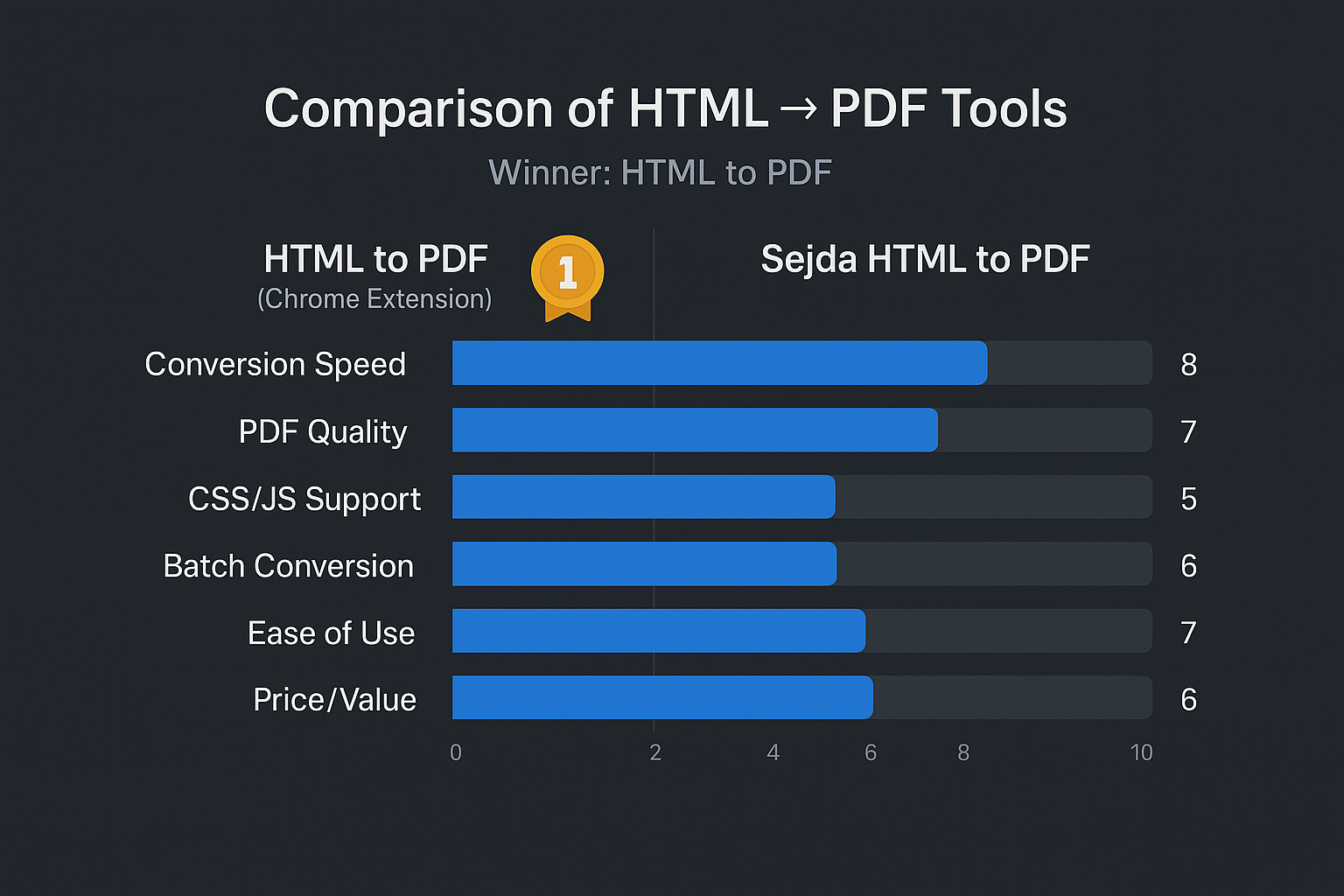
When it comes to converting web pages to PDF, two popular options stand out: our HTML to PDF Chrome Extension and Sejda’s HTML to PDF converter. But which one delivers better results? Let’s dive into a detailed comparison.
The Setup Process: Speed vs Complexity
HTML to PDF Chrome Extension gets you started in seconds. Simply install the extension from Chrome Web Store and you’re ready to convert any webpage with a single click.

Sejda, on the other hand, requires you to navigate to their website, create an account for premium features, and upload files to their servers for processing.
Conversion Speed: Instant vs Waiting
With our Chrome Extension, conversion happens instantly. Click the extension icon and your PDF downloads immediately – no waiting, no processing time.

Sejda requires uploading your content to their servers, waiting for processing, then downloading the result. This process can take 30-60 seconds per page.

Privacy & Security: Local vs Cloud
HTML to PDF Chrome Extension processes everything locally in your browser. Your data never leaves your computer, ensuring complete privacy and security.
Sejda uploads your web content to their servers for processing, which raises privacy concerns for sensitive business documents.
Cost Comparison: Free vs Premium
HTML to PDF Chrome Extension: Completely free forever – no hidden costs, no subscription required, no limitations.
Sejda:
- Free plan: Only 3 conversions per hour
- Weekly Pass: $5.99/week
- Monthly: $9.99/month
- Annual: $63.99/year
Quality & Features: Professional Results
Both tools preserve webpage formatting, but our Chrome Extension offers:
✅ Perfect layout preservation
✅ Clickable links maintained
✅ High-resolution images
✅ Custom page sizing
✅ No watermarks ever
Sejda limits advanced features to paid plans and adds processing artifacts that can affect quality.
Ready to Experience the Difference?
Stop wasting time with slow, expensive online converters. Get instant, secure, and unlimited HTML to PDF conversion with our Chrome Extension.
Install HTML to PDF Chrome Extension →
Join thousands of users who’ve already made the switch to faster, more secure PDF conversion.