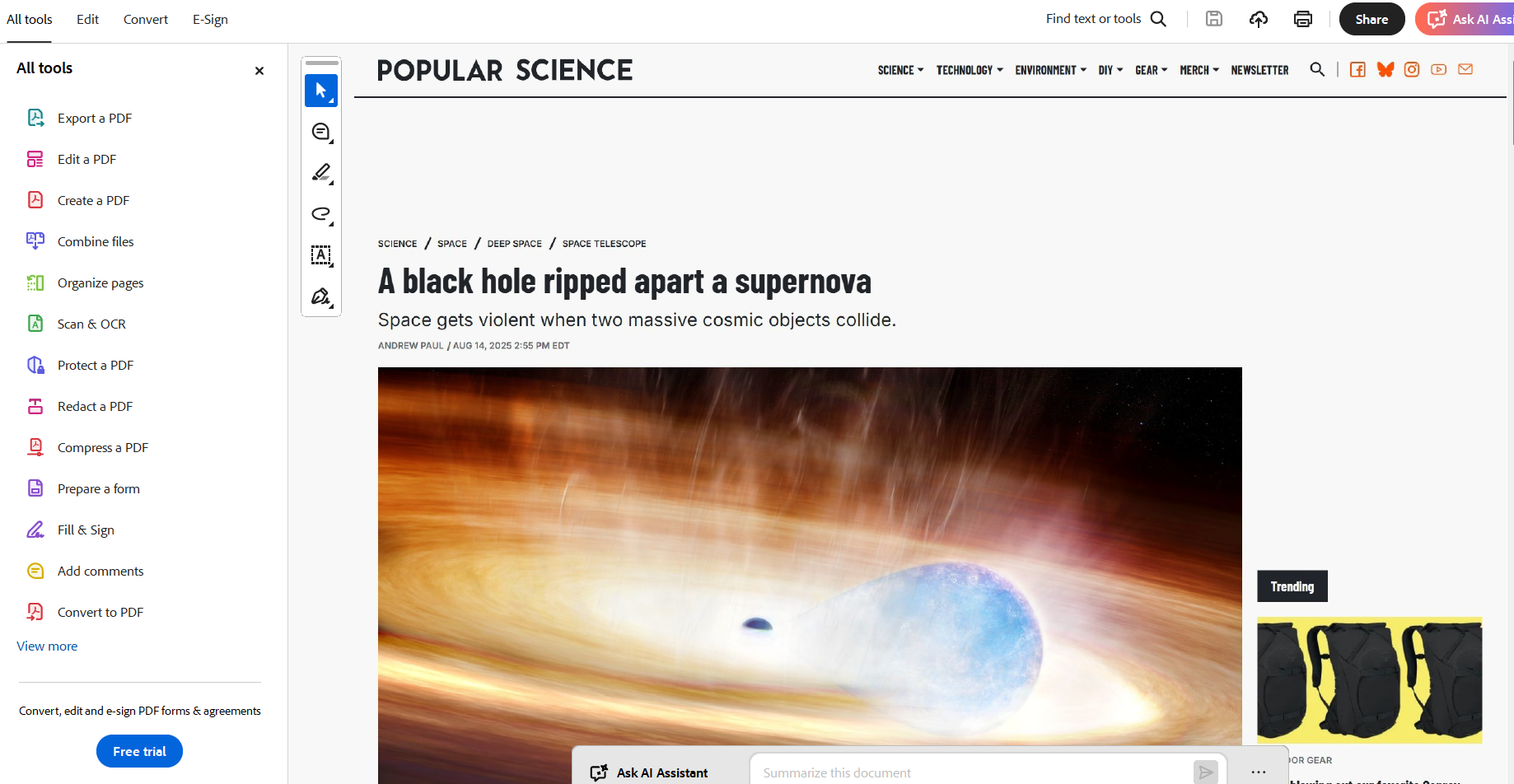
Getting Started
How to start?
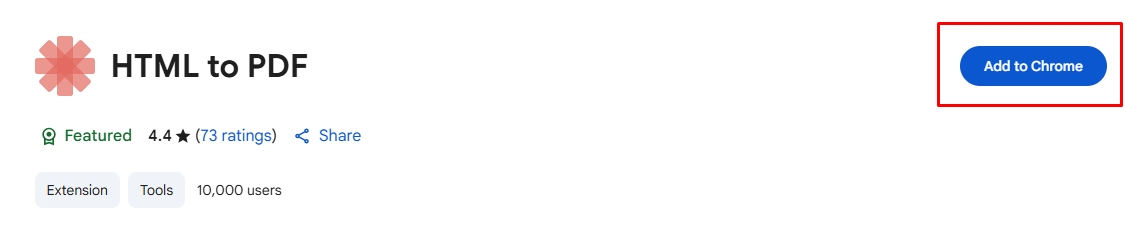
Install the HTML to PDF extension in your browser from the Chrome Web Store. You can find the button “Add to Chrome”.
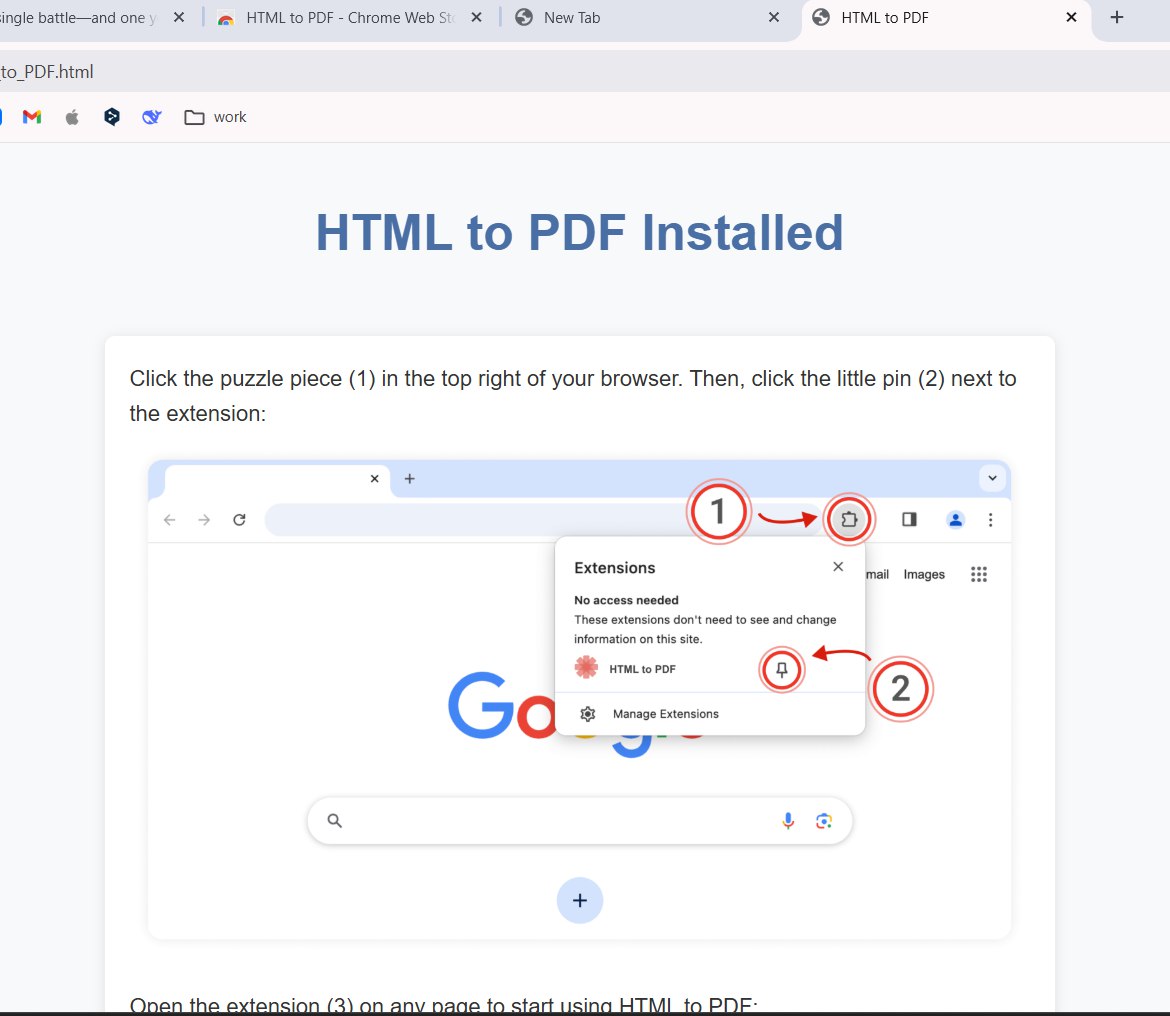
Pin the extension
Click the puzle button and pin the extention on the board. It’ll be more comfortable to use this tool in the browser. Just do it.
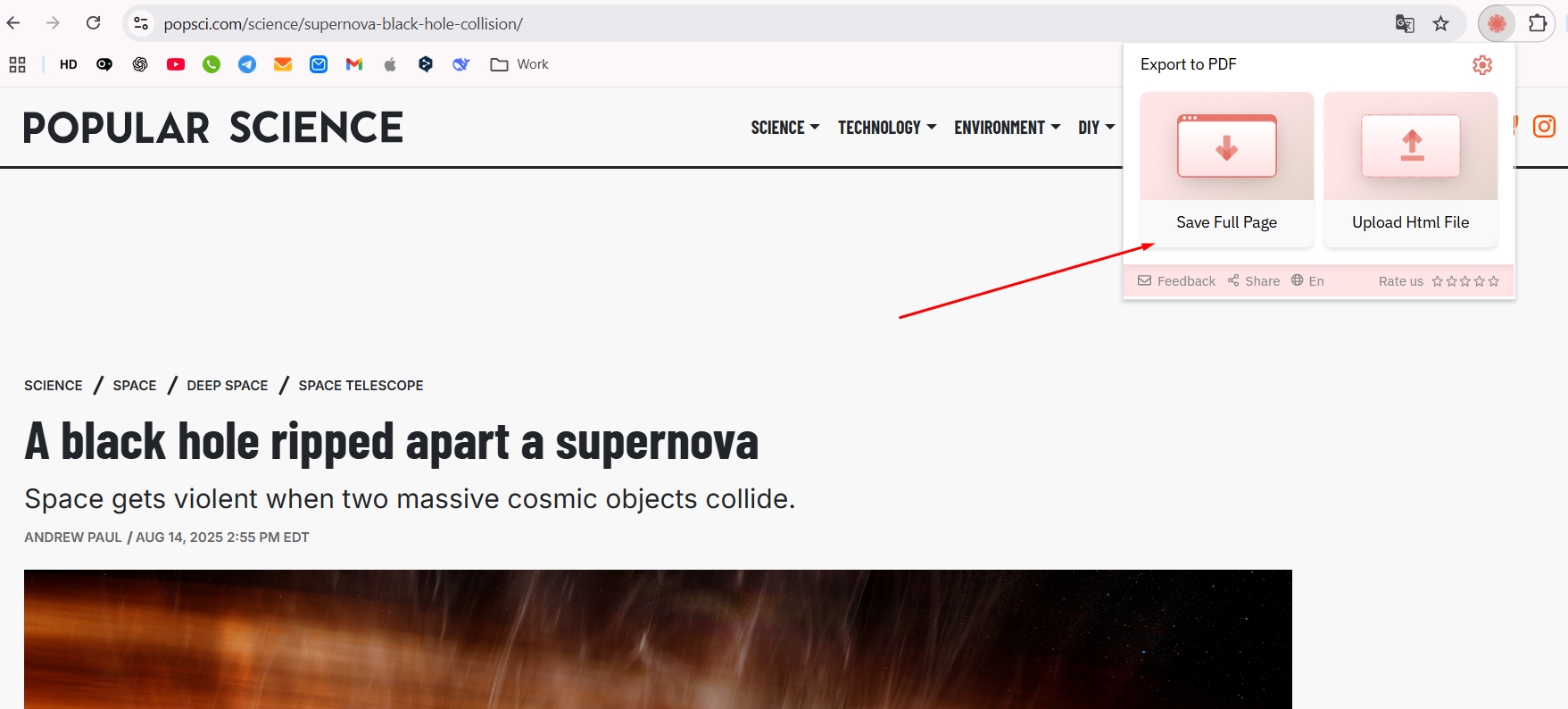
Work with menu
Open the web page you want to save and click “Save Full Page”. The system will check all the page and prepare it for saving.
Work with menu
Click the first button “Download” for saving the web page to the hard drive. Only one click will help you to reach the goal.
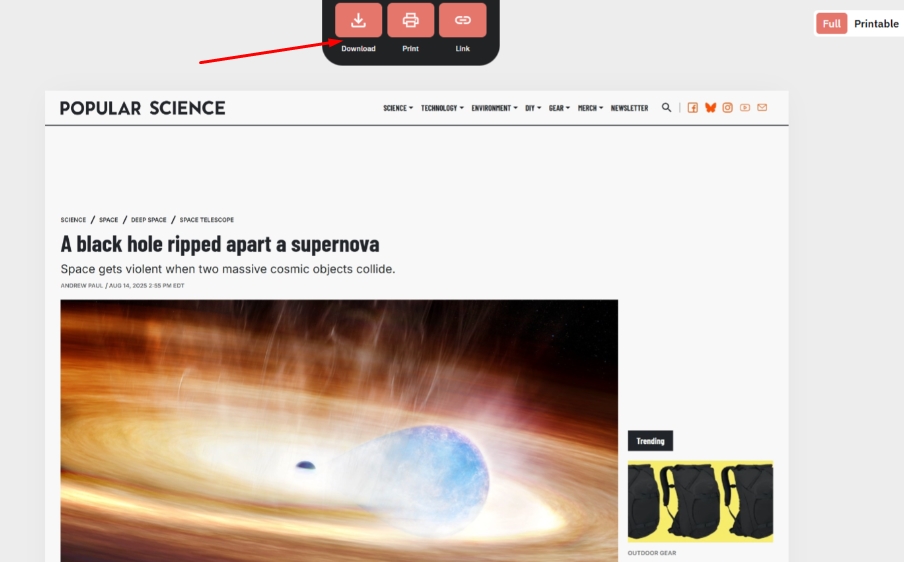
Process of saving
You need to wait 2 seconds and the file will be saved in PDF. Use the file everywhere you want. You don’t need to have an internet more.
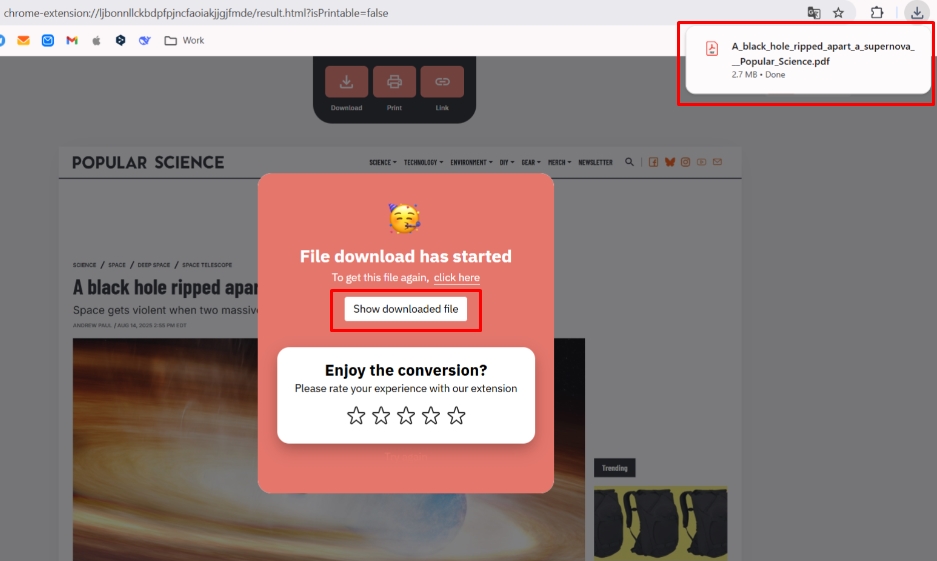
Finish
I want to show you the result I had. You can open the PDF file on your computer for reading or changing it as you’ll wish.